 ConSprint Help
Estimates and progress
Guess how long each step will take and what it'll cost, then see how the real numbers compare. Your guesses get better with every build. (Well, a little.)
Add an estimate
Open a step's details and fill in:
- Time (hours): like
2or1.5. - Cost: what you expect to spend on it, in your currency.
Leave either blank if you have no idea yet.
How estimates add up
A mission's or objective's estimate is the sum of what's under it. Once it has steps (or objectives) under it, its own estimate box is read-only and shows the total.
A mission or objective with nothing under it yet can have its own rough estimate, so you can plan the big picture first and break it down later.
The quest's total estimate, on the quest page and the dashboard, is the sum of its missions.
Progress
The ring on a quest shows how much of the work is done, weighted by time: finishing a 3-hour step counts for more than a 1-hour one. The count next to it ("4/12 steps") counts every step the same.
Steps without a time estimate can't be weighed, so add estimates to make the percentage mean something.
Estimates vs actuals
As you log time and spend money, the quest page compares each against your estimates:
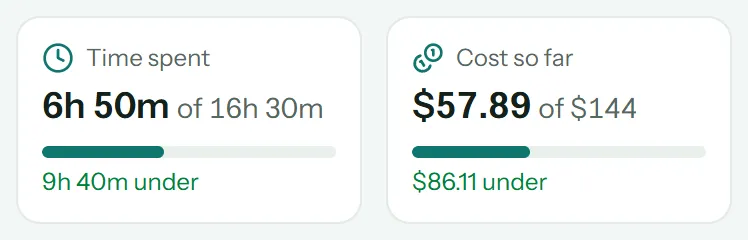
- Time spent: hours logged, of the hours estimated, with how far under or over you are.
- Cost so far: what the build has cost, of the cost estimated.
Each step shows its own numbers too, like "2h 20m of 2h · $34.50 of $24", in orange when it went over.
At the bottom of the quest page, Missions: estimate vs actual charts each mission's estimate against what it really took. Switch between Time and Cost.
Tip
When you plan your next costume, look back at this chart. If painting always takes twice as long as you think, guess twice as long.