 ConSprint Help
Sharing a build
Send your build to friends as a link. They see your plan (the parts, how long each took, and what you used) and can copy it into their own ConSprint to build from.
Share a quest
Open the quest and tap the share button (the three connected dots).
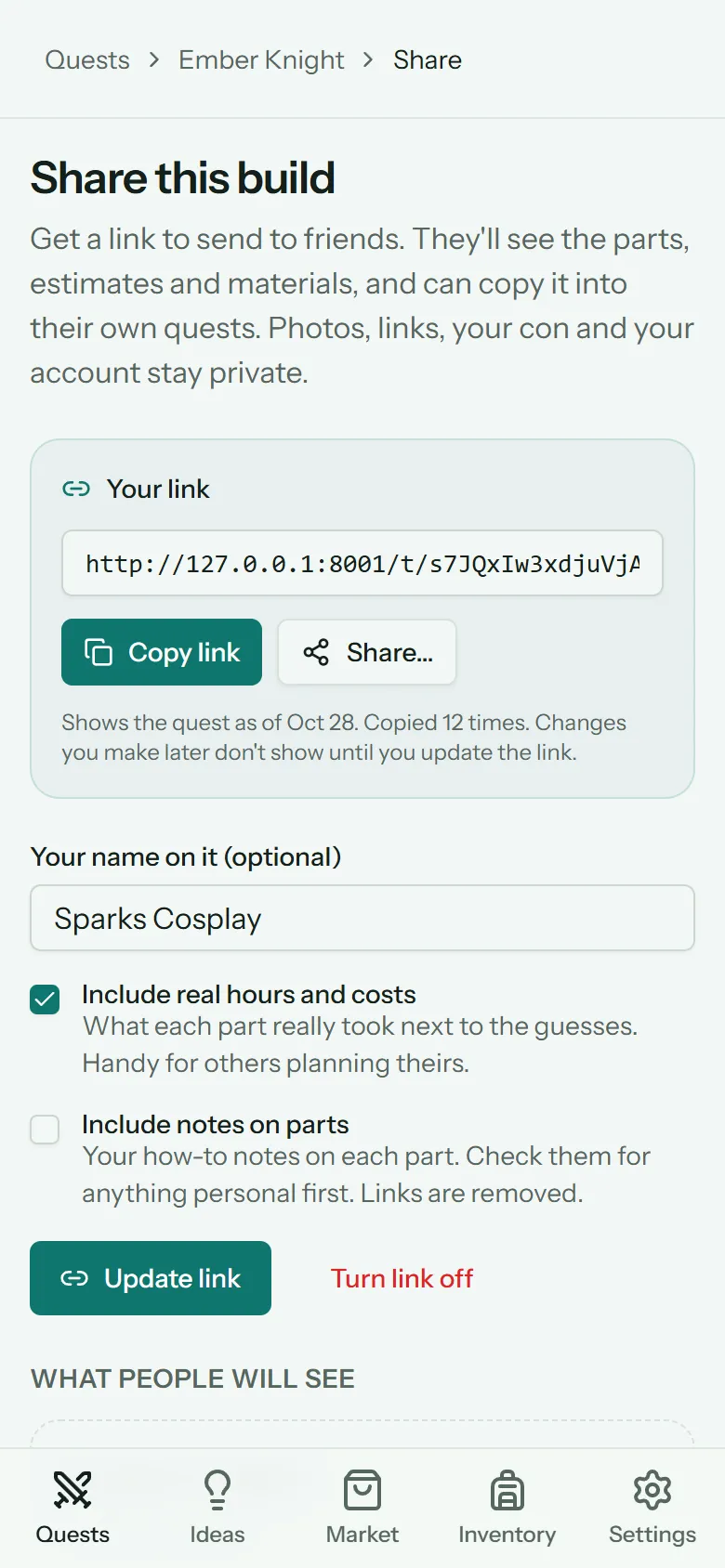
- Type Your name on it, if you like. Leave it blank to share without a name.
- Tick what else to include:
- Include real hours and costs: what each part really took, next to your guesses. Super useful for anyone planning theirs.
- Include notes on parts: your how-to notes. Check them for anything personal first.
- Tap Create link.
Copy the link with Copy link, or tap Share… to send it straight to Discord, Messages or anywhere else on your phone.
What people will see at the bottom of the page shows exactly what goes out, and changes as you tick the boxes.
What's shared, and what isn't
| Shared | Never shared |
|---|---|
| The quest's name, character and series | Photos |
| Missions, objectives and steps | Links of any kind (they're removed from everything) |
| Time and cost estimates | Your con, its date, and your budget |
| Materials and quantities, with costs | Store names, expenses and receipts |
| Real hours and costs, if you tick it | Your account name and email |
| Notes on parts, if you tick it | Anything you didn't tick |
The link isn't listed anywhere and search engines are asked to ignore it, so only people you send it to will see it.
Update or turn off the link
The link shows your quest as it was when you shared it. Changes you make later don't show until you tap Update link, which takes a fresh copy behind the same link.
Turn link off stops it working (tap twice to confirm). Share again later and you get a new link, so the old one stays dead. Deleting the quest turns its link off too.
The share page also shows how many times your build has been copied.
Copy a build
Got a link from a friend? Open it to see their plan:
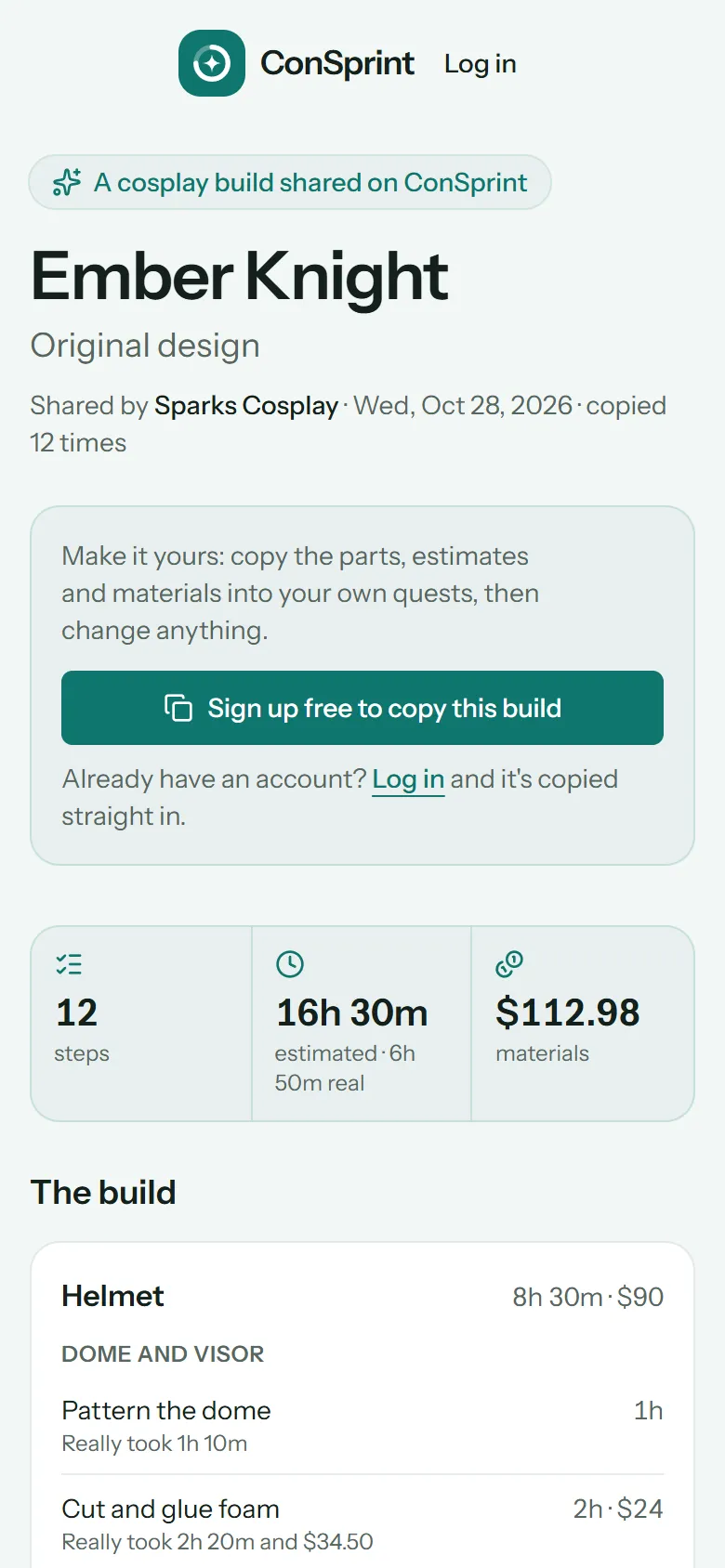
- Signed in: tap Add to my Quests. It's copied into a new quest of your own.
- No account yet: tap Sign up free to copy this build. Once you've signed up and verified your email, it's copied straight in. Already have an account? Tap Log in instead.
Your copy has every mission, objective and step with its estimates, and the materials as a shopping list in your Market. Nothing is done yet and no time is logged: it's your build now, so change anything.
Note
If the build was shared in a different currency from yours, the costs aren't copied (they'd show as the wrong money). The time estimates are, and the shared page shows the original costs with their currency.