 ConSprint Help
Costs and budget
ConSprint keeps two money numbers for each quest, because they answer different questions:
| Number | Question | Made of |
|---|---|---|
| Cost so far | What has this build used up? | The share of each supply you used on it, plus expenses |
| Bought | How much cash have I spent for it? | What you bought in the Market for this quest, plus expenses |
Say you buy four sheets of foam for $64 and use one on your helmet. Bought goes up by $64 the day you buy them. Cost so far goes up by $16 when you use the sheet, and the other three wait in your Inventory for the next build.
Budget
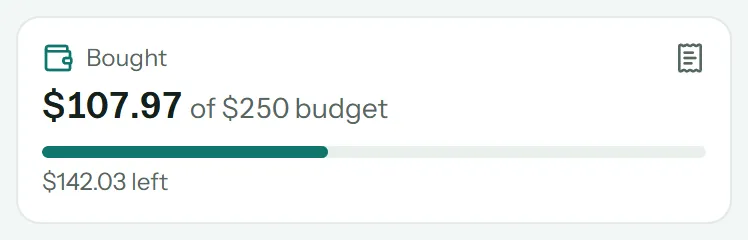
Set a Budget on the quest (the pencil button on the quest page). The Bought card on the quest page then shows what you've spent of it, and what's left. It turns amber if you go over.
Materials used
When you use a supply from your Inventory on a step, the step is charged its share of what you paid. Use half a can that cost $14, and the step costs $7.
On a step's Money tab, under Materials from Inventory:
- Pick the Supply.
- Type the Amount you used, or tap All.
- Tap Use it.
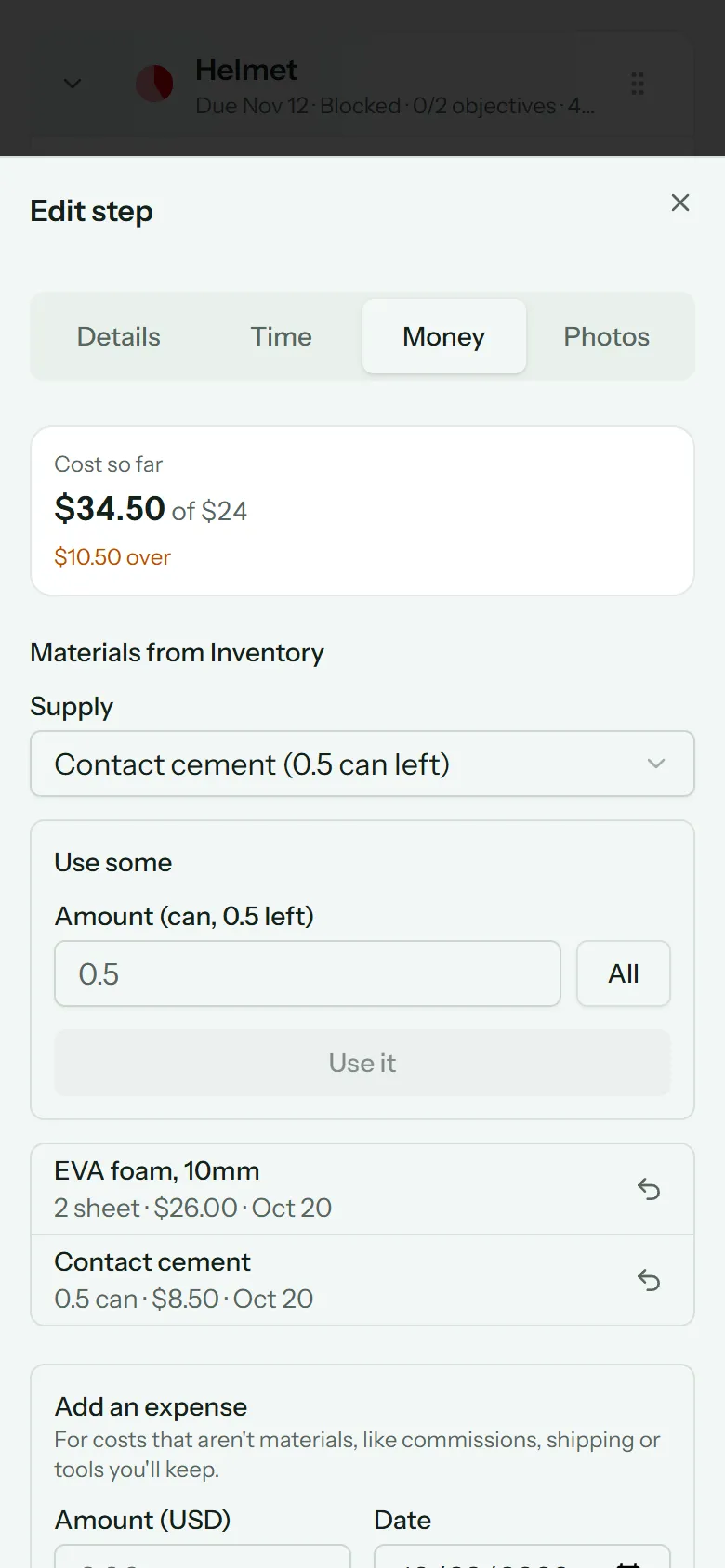
You can also do this from the Inventory side. Used something by mistake? Tap the return arrow next to it, and the amount goes back to your Inventory.
Expenses
Expenses are costs that aren't supplies: commissions, shipping, con fees, a tool you'll keep.
- For one step: open its Money tab and fill in Add an expense: the amount, date, what it was for and where.
- For the whole quest: tap the Bought card on the quest page to open the quest's expenses, and add it there.
Expenses count toward both Cost so far and Bought.
Receipts
Tap the receipt button next to an expense to snap or pick a photo of the receipt. Tap the receipt to see it full size. A new photo replaces the old one.
Estimates
A step's Cost estimate is your guess at what it'll take. See Estimates and progress. The quest page shows Cost so far against the total estimate.