 ConSprint Help
Market
One shopping list for everything you still need, for every quest, sorted by store. Check things off in the aisle and they land in your Inventory with what you paid.
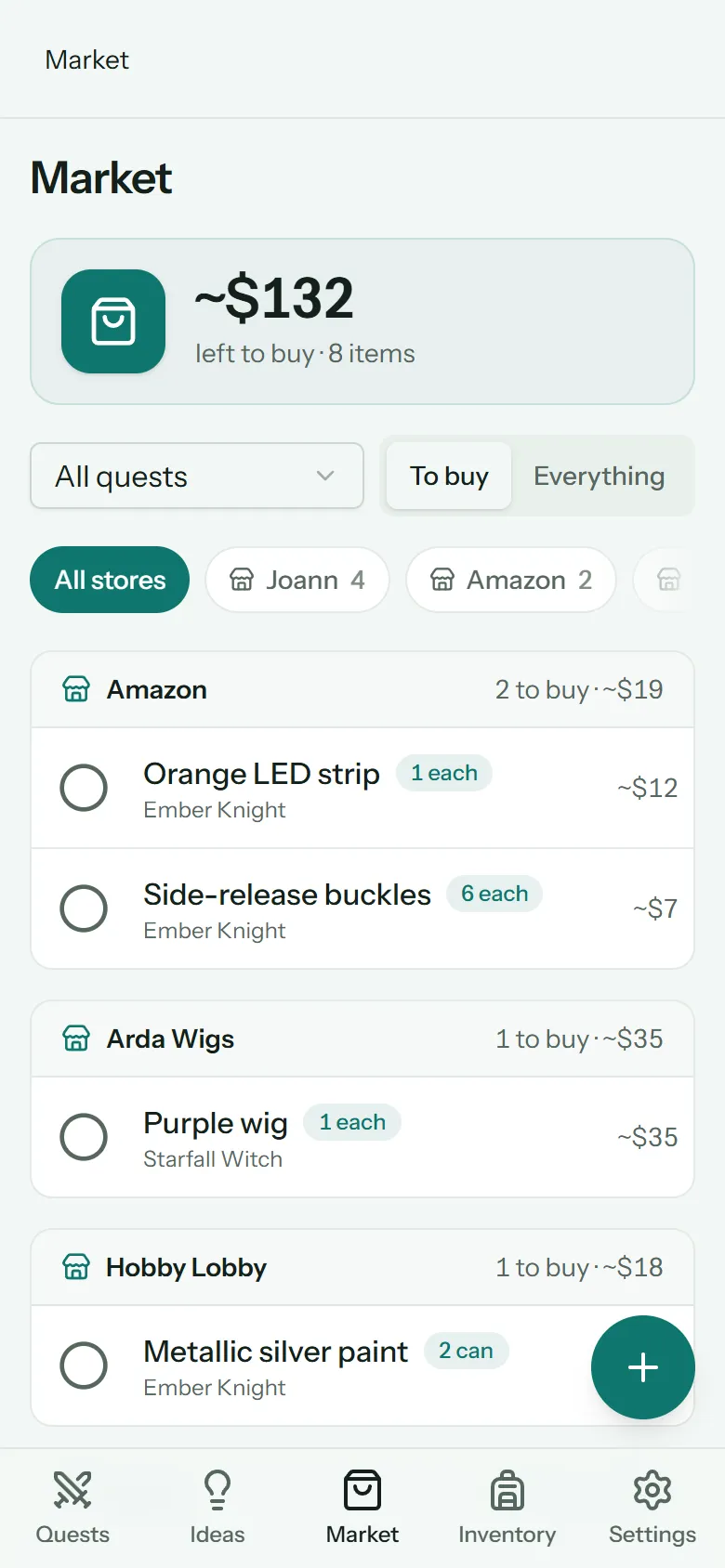
Add something to buy
Tap + in the Market (or open a quest's bag button first, to add straight to that quest's list).
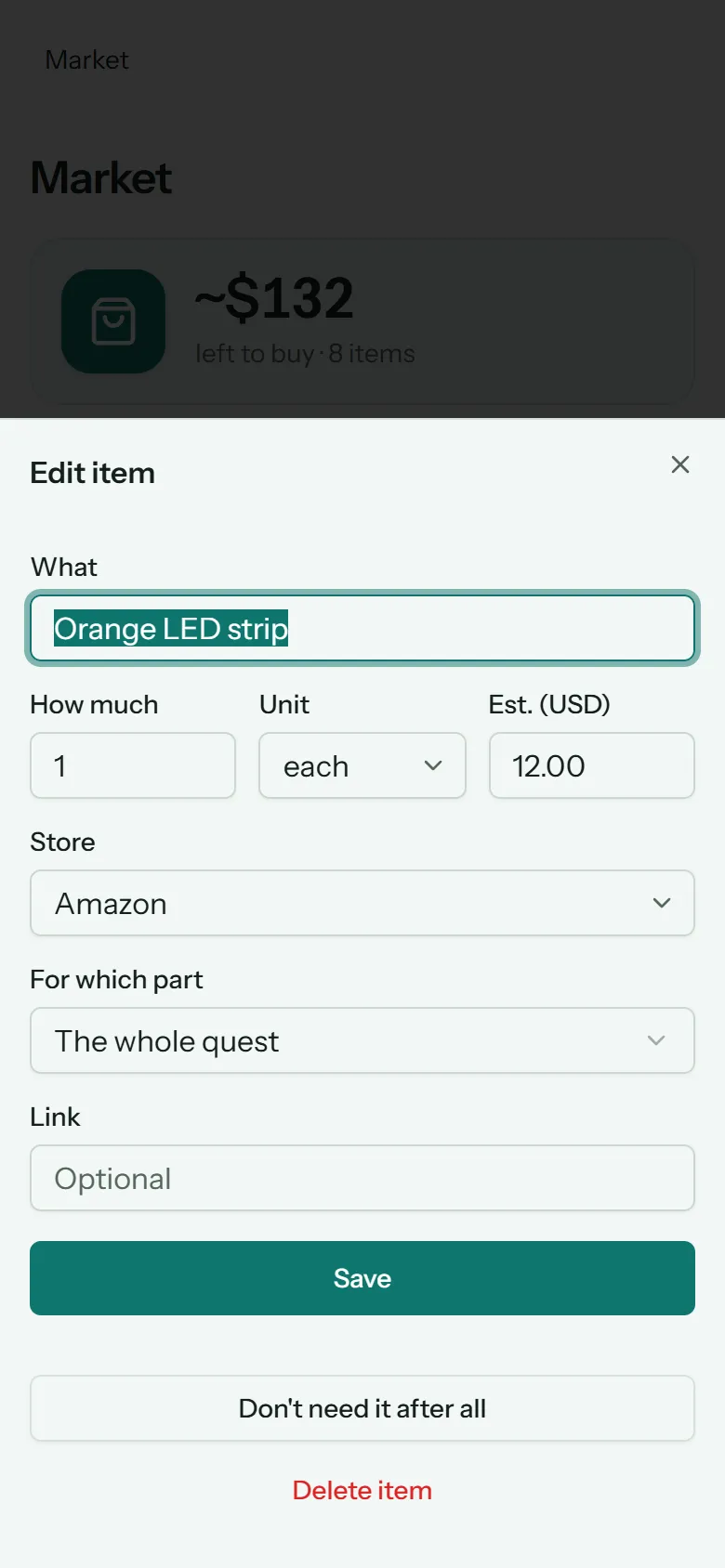
| Field | What it's for |
|---|---|
| For quest | Which quest it's for |
| What | What to buy, e.g. Red twill fabric |
| How much and Unit | The amount, like 2 yard or 6 each |
| Est. | What you expect to pay, so you know what's left to buy |
| Store | Where you'll get it. The Market groups items by store |
| For which part | The mission, objective or step it's for, or The whole quest |
| Link | A product page, if it's online. Tap the link button on the item to open it |
Tap an item later to change any of it.
Find things
- The total at the top is roughly what's left to buy, from your estimates.
- All quests narrows the list to one quest. The bag button on a quest page opens the Market already narrowed to that quest.
- To buy shows what you still need; Everything adds what you've bought or skipped.
- The store chips show one store at a time: handy in the car park.
Mark it bought
Tap the circle next to an item when you buy it.
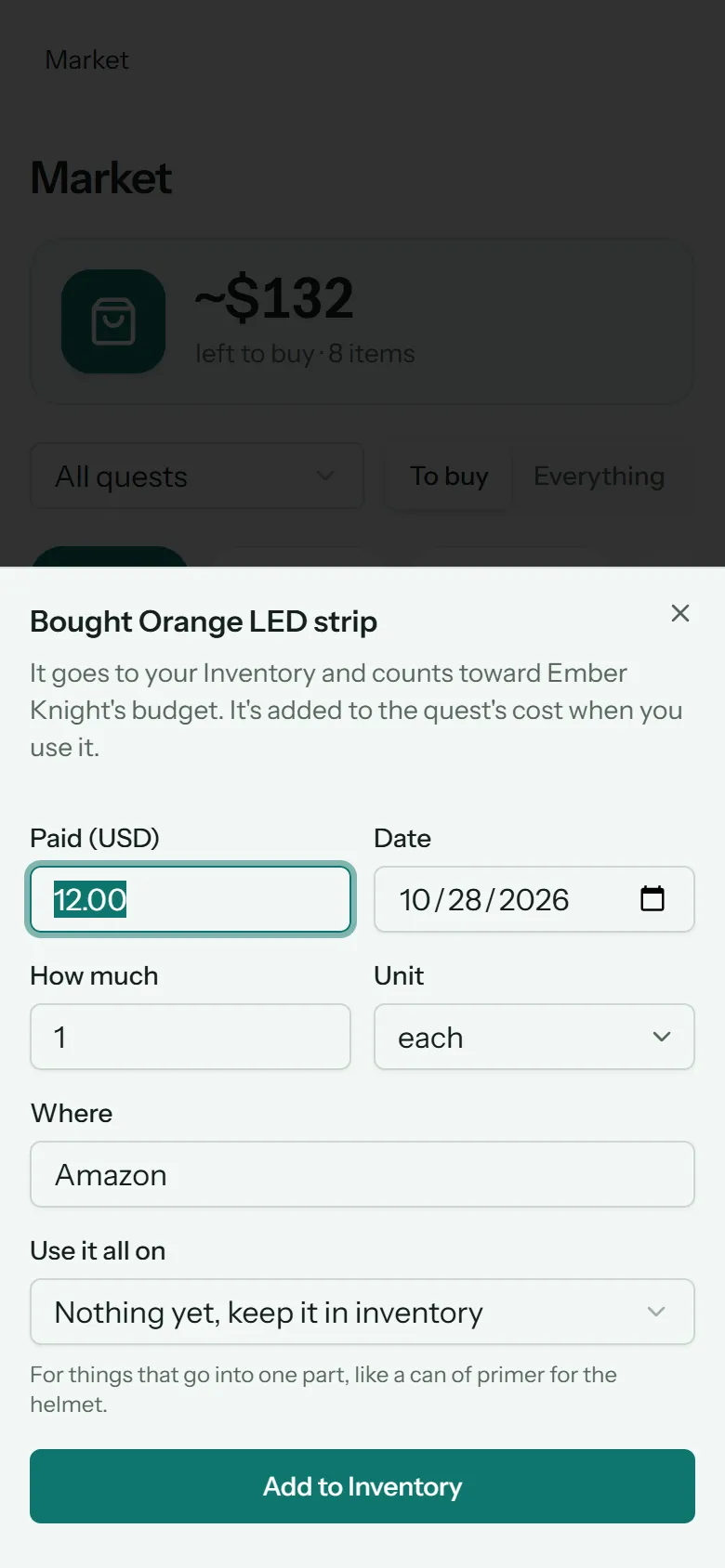
Check the details and tap Add to Inventory:
- Paid: what it really cost.
- Date: when you bought it.
- How much and Unit: what you actually got, if it's different from the list.
- Where: the store.
- Use it all on: if it's all going on one part (a can of paint for one step, say), pick it here and it's used straight away. Otherwise leave Nothing yet, keep it in inventory.
The item becomes a supply in your Inventory, and counts toward the quest's Bought total against its budget. It only adds to the quest's Cost so far when you use it.
Bought it by mistake? Switch to Everything and tap the undo button on the item. It goes back on the list, and out of your Inventory. (If you've already used some of it, return those uses first.)
Changed your mind?
Open the item and tap Don't need it after all to skip it. Skipped items leave the list but stay under Everything. Delete item removes it completely.