 ConSprint Help
Schedule and pace
Tell ConSprint how many hours a week you can build, and it tells you whether you'll make it to the con, and lays your steps out week by week.
Pace
Set Hours a week you can put in on the quest (the pencil button on the quest page). The Pace card then compares the work left with the time left:
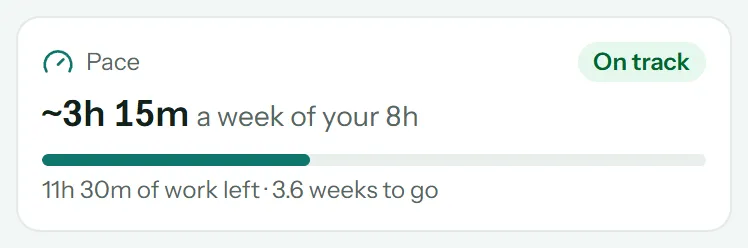
ConSprint adds up the estimated hours of everything not done yet, spreads them over the weeks until the con, and compares that with your hours a week:
| Verdict | Means |
|---|---|
| On track | You need at most 80% of your hours a week. There's slack for surprises |
| Tight | You need between 80% and 100%. Doable, with little room to spare |
| Behind | You need more hours a week than you have. The card says how many more |
The verdict also shows on the dashboard.
Note
Pace counts only steps with a time estimate. If some steps have none, the card says how many, since they aren't counted. Without a con date, pace can't be worked out; without hours a week, the card shows the pace you'd need.
The schedule page
Tap the calendar button on a quest page to see its schedule.
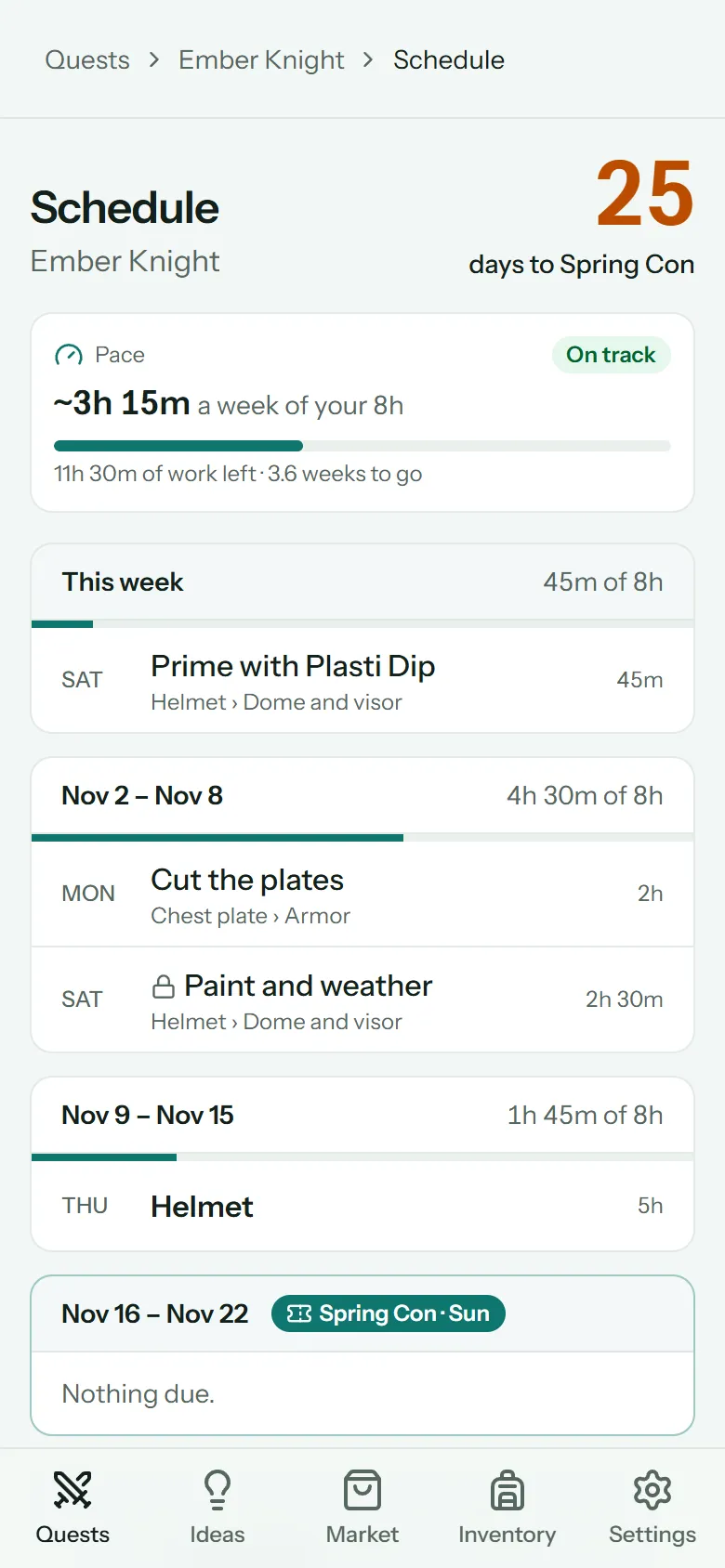
- Overdue steps come first.
- Then a card for each week, Monday to Sunday, from this week to the con's week (at least four weeks without a con date).
- Each week lists what's due then, by day, and its load: the unfinished work due that week against your hours a week. The bar fills as the week gets busier.
- Steps that wait on something not finished yet show a lock.
- Quiet weeks with nothing due shrink to one line.
- The con's week is marked.
Tap a step to open it on the quest page.
Where things land
Anything with a Due date (a step, objective or mission) shows in the week it's due.
A mission's or objective's due date covers everything under it: its steps without their own date count toward that week's load. If a step's own date is later than its mission's, the mission's earlier date is the one that counts.
Steps with no due date anywhere above them aren't on the schedule, but they still count toward your pace.