 ConSprint Help
Ideas
A board for costumes you'd love to make: characters, other people's cosplays, anything that inspires you, with who made it and where you found it. Only you can see it.
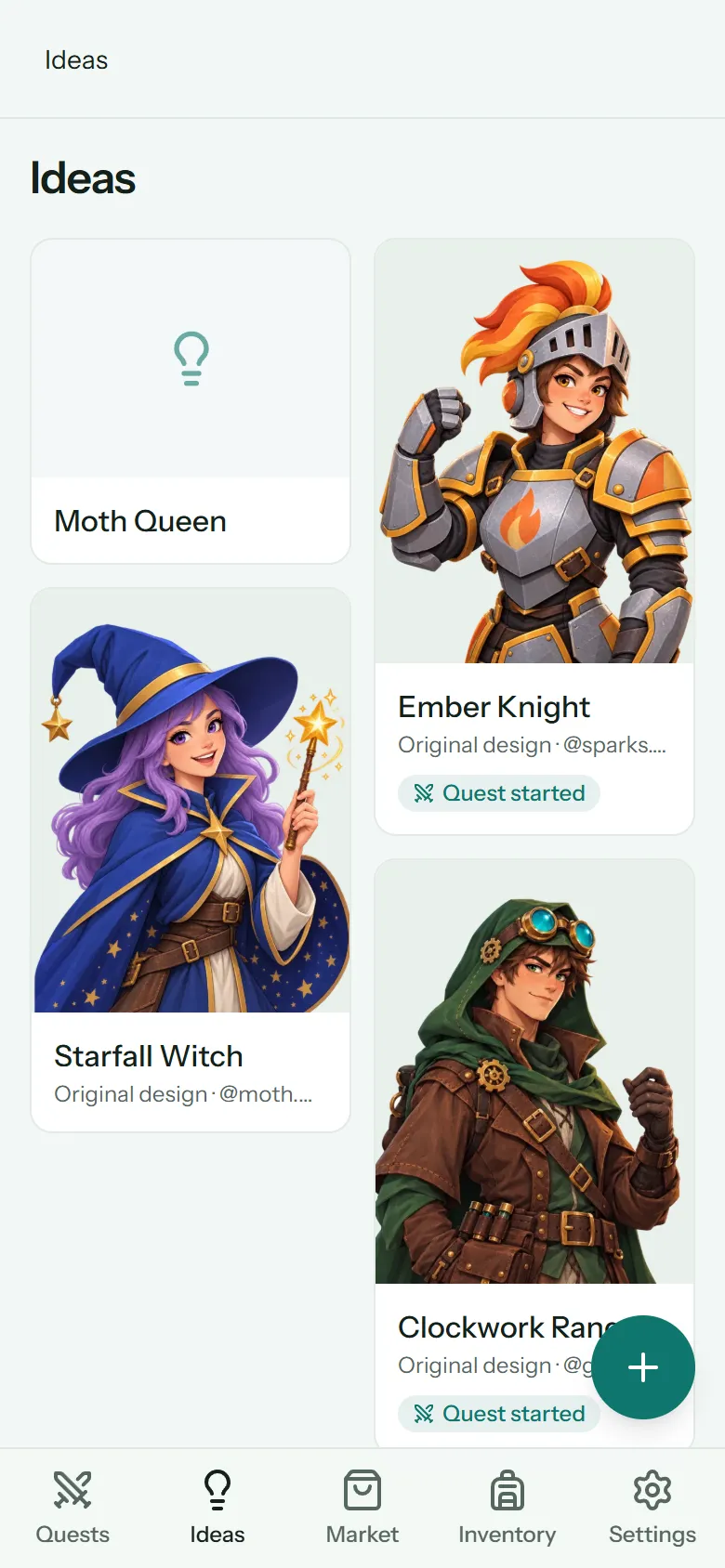
Save an idea
Tap + on the Ideas tab (New idea on a computer).
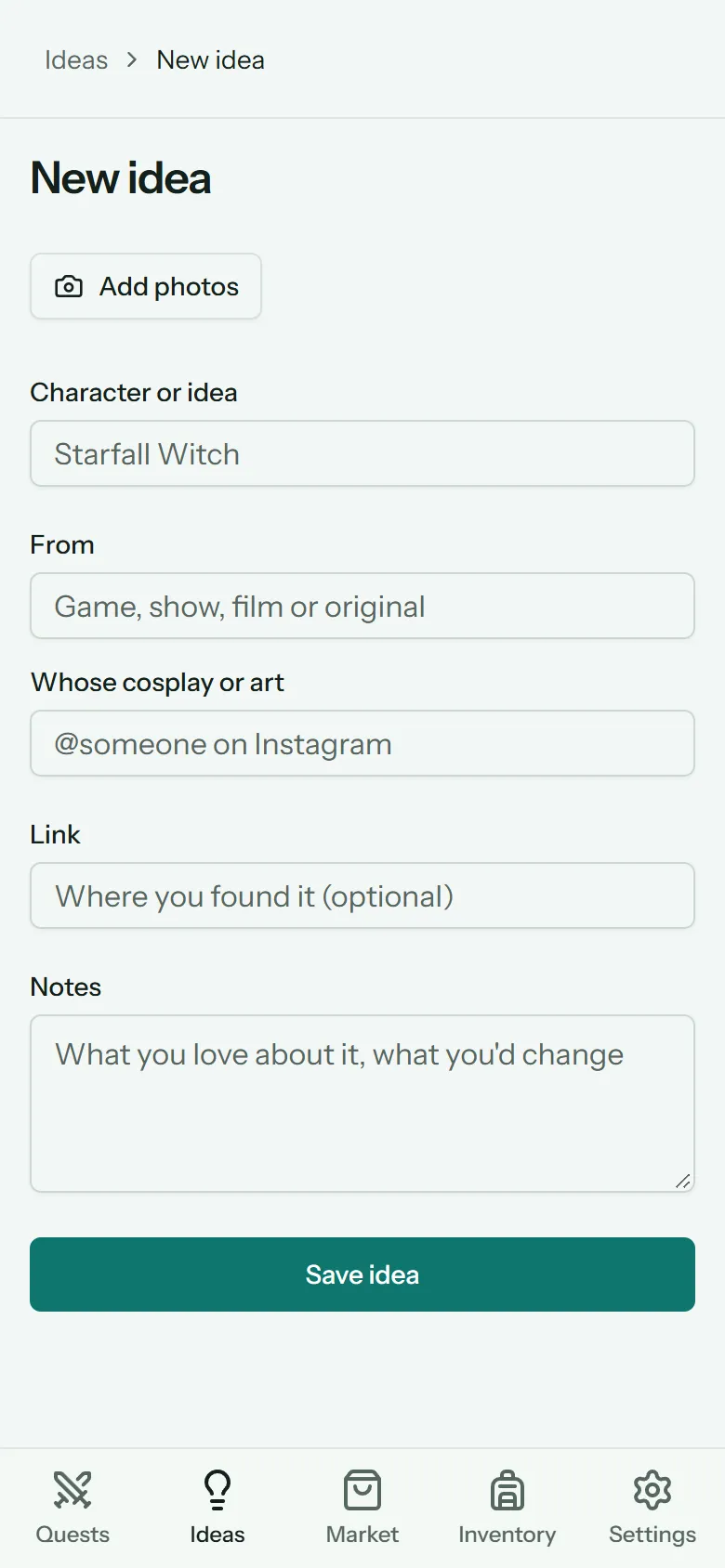
- Add photos: pick up to 10. Add more later from the idea's page.
- Character or idea: the only thing you have to fill in.
- From: the game, show, film, or Original.
- Whose cosplay or art: credit the maker, like @someone on Instagram.
- Link: where you found it. Only web links (starting with
https://). - Notes: what you love about it, what you'd change.
Tap Save idea.
Share photos from other apps
On Android, once ConSprint is installed on your phone, it shows up in your phone's share sheet:
- In Instagram, your browser, Google Photos or anywhere else, tap Share on a photo.
- Pick ConSprint. (Swipe up in the share sheet to see every app.)
- A new idea opens with the photo already added. Anything shared along with it (a title, a link) is filled in too.
Tip
Instagram's own share button usually sends a link, not the picture. For the photo itself, take a screenshot and share that, then paste the post's link (Copy link in Instagram) into the idea's Link.
iPhone doesn't let web apps appear in the share sheet. On iPhone, screenshot what you like and add it with Add photos.
The board
The board shows each idea's first photo, uncropped, newest ideas first. Tap an idea to open it: its photos (the first one big), the link, your notes and the credit.
From an idea's page you can Edit it, Add more photos, or Delete idea (with its photos).
Start a quest from an idea
When you're ready to build it, open the idea and tap Start a quest from this.
The new-quest form opens with the idea's name, where it's from, and your notes (plus the credit and link) filled in. Add your con and budget, and create it. The idea's photos are copied into the new quest as references, the first one as its cover.
The idea stays on your board, marked Quest started, with a link to the quest. The quest and the idea each keep their own photos, so deleting one never touches the other.
Note
The copies count toward your photo storage too. If they wouldn't fit, the quest is still made, just without the photos.